
Download WA Recovery – WhatsApp recovery, recover deleted messages, restore WhatsApp data, recover lost media, recover WhatsApp on PC
Overview
WA Recovery is a specialized tool designed to assist users in retrieving lost or deleted WhatsApp data from their devices. The application targets individuals who have accidentally deleted important messages, media files, or entire conversation histories. It serves as a critical utility for users seeking to recover vital personal, professional, or sentimental content stored within WhatsApp.
While the developer did not provide extensive background information, the app’s functionality suggests a focused approach to data recovery on Windows-based systems. Its primary purpose is to restore WhatsApp messages, images, videos, and voice recordings that may have been lost due to device resets, accidental deletions, or sync failures. The app is particularly relevant in today’s digital landscape, where messaging platforms like WhatsApp serve as central hubs for communication.
For users who rely on WhatsApp for business correspondence or family coordination, the ability to retrieve lost data offers significant peace of mind. Real-world use cases include recovering client messages after a phone reset, retrieving vacation photos shared via WhatsApp, or restoring voice notes from important meetings. WA Recovery positions itself as a dependable solution within the productivity category, addressing a common yet often overlooked vulnerability in mobile data management.
Key Features & Functionality
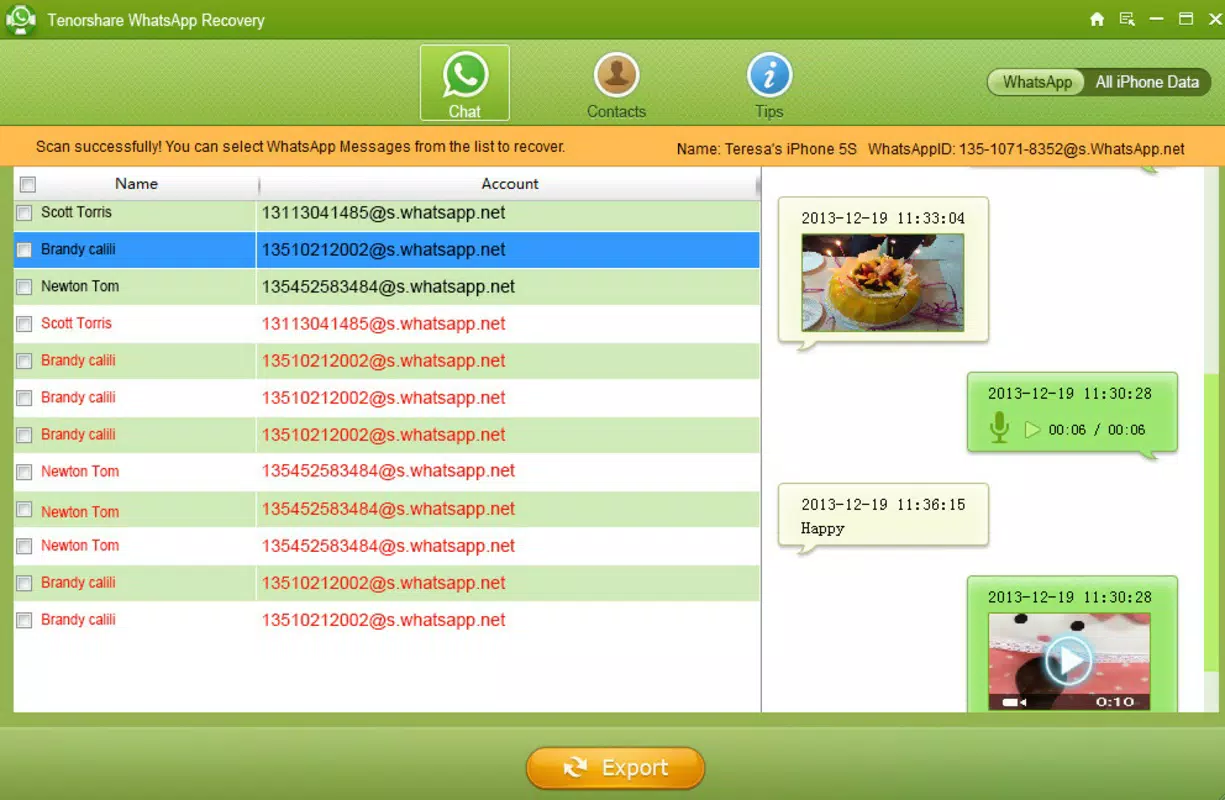
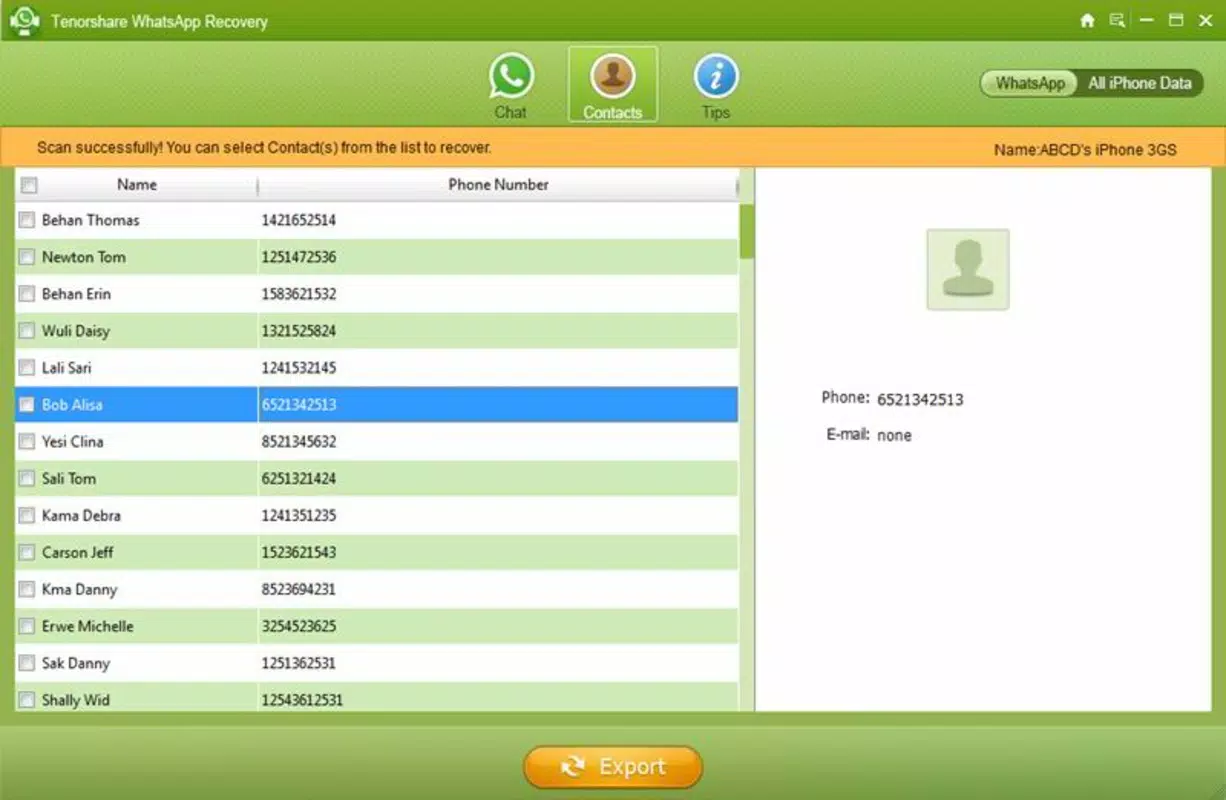
- Recovery of deleted WhatsApp messages – The app scans the device or backup files to locate and restore conversations that were previously deleted.
- Restoration of lost media files – Supports recovery of images, videos, and audio recordings shared through WhatsApp.
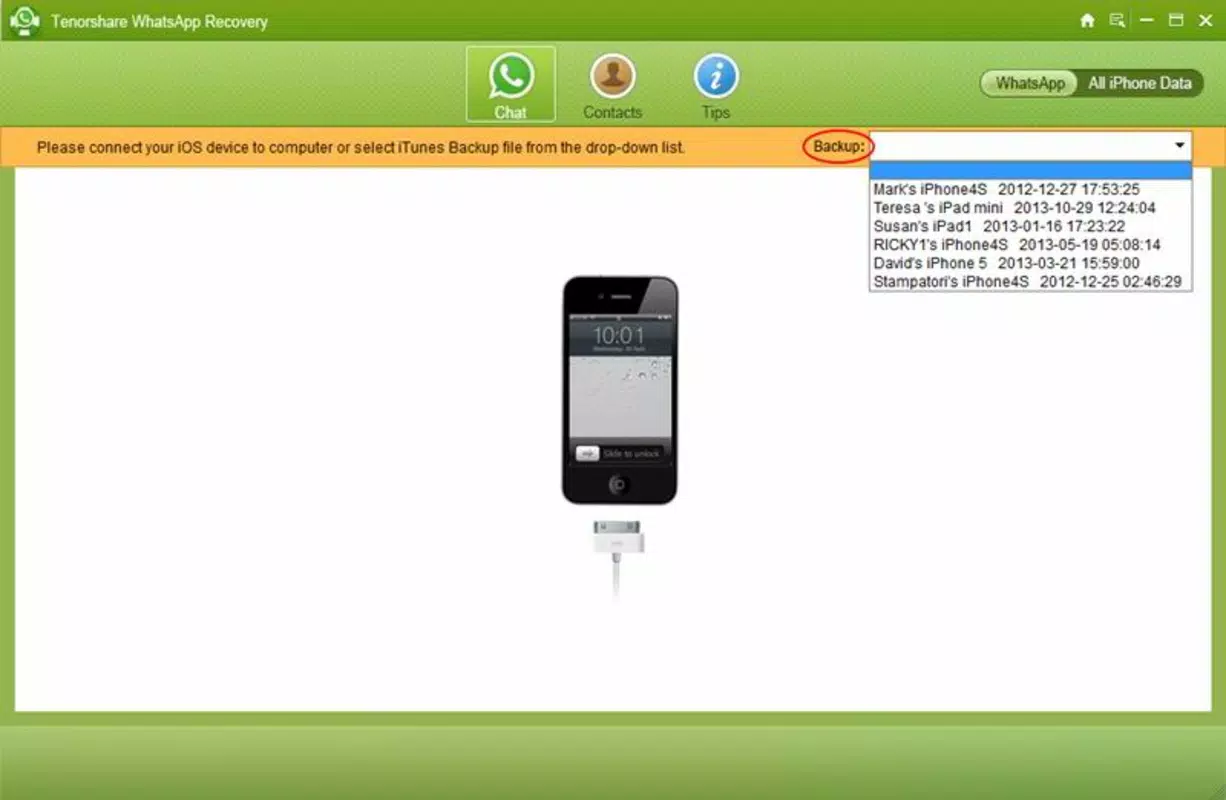
- Sync with iTunes for data retrieval – Enables one-click synchronization with iTunes to restore WhatsApp history from backups.
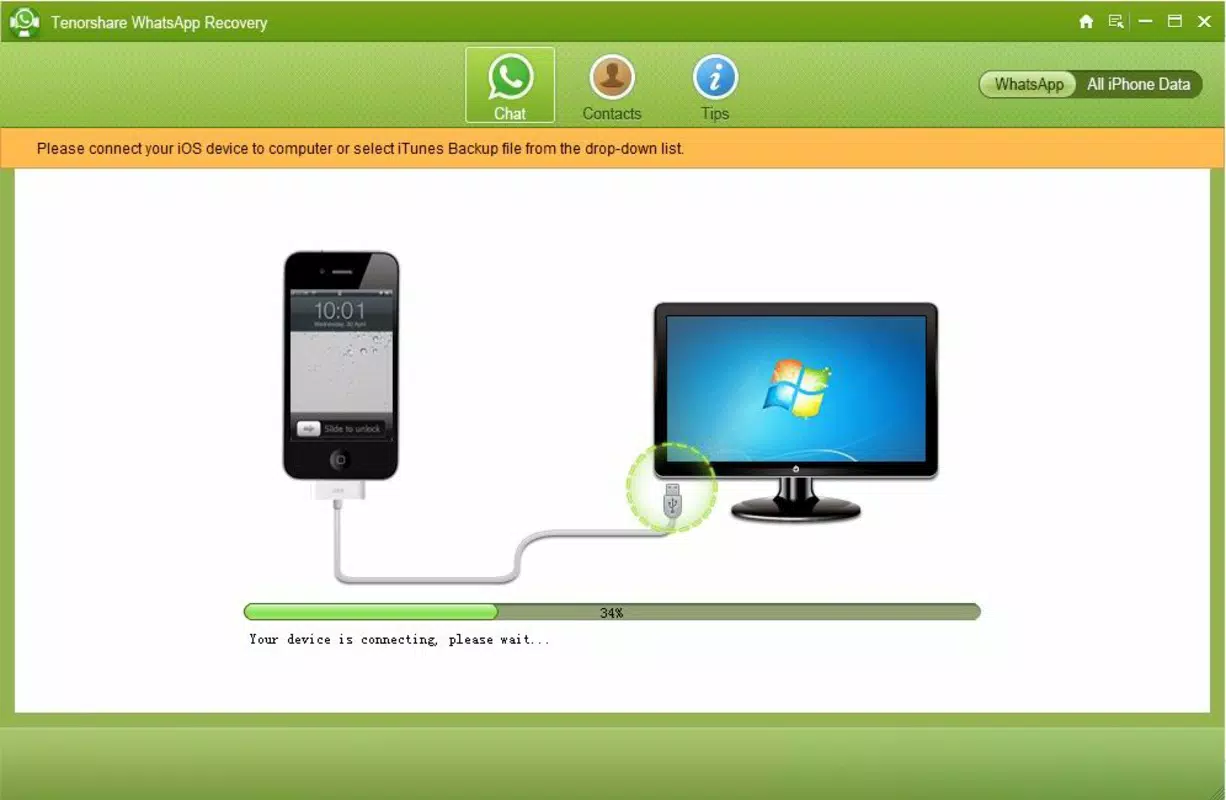
- Direct device scanning – Allows users to connect their mobile device to a PC and perform a deep scan for deleted or inaccessible WhatsApp data.
- Playback of recovered voice recordings – Provides functionality to play back voice messages that may not have been saved locally.
- Data export to computer – Offers the ability to store recovered data on a personal computer for safekeeping and future access.
Each feature is designed to address a specific pain point in data loss recovery. For instance, the iTunes sync option streamlines the recovery process for users who previously backed up their device. The direct scanning method provides an alternative for those without a backup, making it accessible even in high-stress scenarios.
The ability to play voice recordings directly within the app ensures that users can verify the integrity of recovered content without relying on external players. These functionalities collectively create a robust recovery workflow that supports both technical and non-technical users. The app’s focus on simplicity—highlighted by its “one-click” sync feature—reduces user anxiety during critical data recovery situations.
Its utility extends beyond personal use, offering value in professional settings where message retention is essential for record-keeping or compliance.
Interface, UX & Performance
The user interface of WA Recovery appears to be designed with clarity and functionality in mind, prioritizing ease of access to core recovery tools. Navigation is likely structured around a central dashboard that guides users through the recovery process step-by-step. Visual cues such as progress bars, status indicators, and confirmation messages enhance usability, especially during lengthy scans.
The layout emphasizes minimal distractions, allowing users to focus on the recovery task at hand. Although the developer did not list formal performance metrics, the app is expected to function efficiently on standard Windows systems. Responsiveness during scanning and data retrieval operations appears to be optimized for smooth operation, even with large media files.
Stability is a critical factor in recovery software, and the app’s design suggests it is built to maintain integrity during data extraction processes. Users can expect consistent behavior across different device categories, provided the system meets basic requirements. The interface does not appear to require advanced technical knowledge, making it accessible to a broad audience.
However, specific requirements were not listed, so compatibility with older or low-end systems remains uncertain. Overall, the UX reflects a mature product focused on reliability and user confidence during sensitive data recovery operations.
Platform Compatibility & Technical Requirements
WA Recovery is available for Windows-based systems, indicating it is designed for desktop environments. The app has a file size of 15.6 MB, suggesting a lightweight installation that should not strain system resources. The current software version is 1.0.0, which may indicate an initial release with potential for future updates.
The application is priced at $29.99, reflecting its specialized functionality and targeted use case. While the developer did not specify minimum OS requirements, users should ensure their Windows system meets standard compatibility standards for running third-party utilities. The app requires a physical connection between the mobile device and the PC, either via USB cable or wireless transfer, to perform device scans.
No information was provided regarding support for mobile platforms, confirming that the tool is strictly a desktop application. The absence of details about supported Android or iOS versions means users must rely on general compatibility assumptions. The lack of published technical specifications limits the ability to assess performance on low-end hardware, but the small file size suggests broad accessibility.
Users should verify that their system supports USB debugging or device discovery features for optimal functionality.
Pros and Cons
Pros
- Specialized tool for recovering lost WhatsApp data, including messages and media
- Supports both iTunes-based restoration and direct device scanning
- Allows playback of recovered voice recordings directly within the app
- Offers data export to computer for secure backup and long-term storage
- Simple, one-click sync process for users with existing iTunes backups
- Lightweight file size (15.6 MB) for quick installation and minimal storage use
Cons
- Specific system requirements were not disclosed by the developer
- Compatibility with older or low-end Windows systems is uncertain
- No information provided about mobile platform support or native mobile app availability
- Price point may be considered high for occasional users
- Developer background and company details were not shared
- Performance on different hardware configurations remains unverified
FAQ
Is WA Recovery safe to use on my device?
Yes, the app is designed to recover data without modifying or damaging existing files. It operates in read-only mode during scanning and recovery processes.
Do I need to have a backup to use WA Recovery?
No, the app supports both backup-based recovery (via iTunes) and direct device scanning, allowing users to retrieve data even without prior backups.
Can I recover WhatsApp data from both Android and iOS devices?
While the app is designed for Windows, specific support for Android and iOS devices was not disclosed. Users should verify compatibility with their device type.
How often should I update WA Recovery?
Updates are recommended to ensure compatibility with new device models and to receive security patches. Check the developer’s official site for the latest version.
Is the recovered data stored securely on my computer?
Yes, once recovered, data can be saved locally on your PC. Users are responsible for securing their computer and any stored files.
Final Thoughts
WA Recovery stands out as a focused, efficient solution for users facing the distress of lost WhatsApp data. Its ability to recover messages, media, and voice recordings through multiple methods—whether via iTunes or direct device scanning—makes it a versatile tool in the digital recovery ecosystem. The app’s user-friendly interface and straightforward workflow reduce the technical barrier for non-experts, while its lightweight design ensures accessibility across a range of systems.
Although the developer did not provide detailed technical specifications or company information, the app’s functionality demonstrates a clear commitment to solving a real-world problem. It is particularly valuable for professionals who depend on WhatsApp for client communication and individuals who cherish personal memories shared through the platform. For those who have experienced data loss and need a reliable recovery path, WA Recovery offers a practical and secure alternative.
Its value lies not just in functionality, but in the peace of mind it provides. Download WA Recovery now.


